The User.
People attending networking events.
The Span.
12 weeks.
The Tools.
Figma, Invision Studio, and Google Glass.
The Crew.
Xi Chen, Yanfeng Jin, and Suyash Thakare.
The Problem.
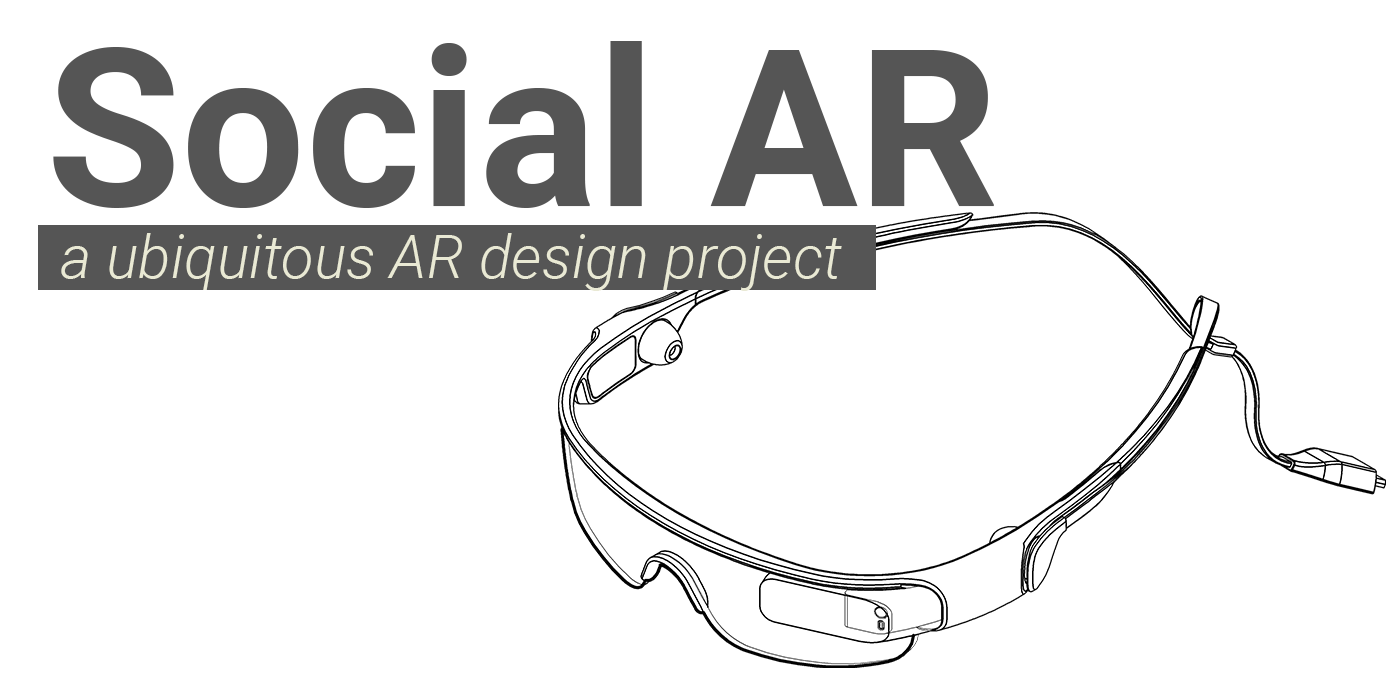
The world of augmented reality (AR) is quickly expanding, and the applications of it are endless. With Google Glass, Microsoft Hololens, and North Focals, the future of AR has huge investment by major tech companies. By being situated in front of your eyes, they offer exciting ways of providing relevant information, however, doing so without being obtrusive is a challenging task.
My team and I were tasked to discover applications for AR, particularly in social situations.
The Solution.
Our goal with this project was to apply ubiquitous computing principles to AR, by designing AR for everyday situations, such as social conversation. This project focused more on exploring the capabilities and experience design of using AR in these situations, rather than just having a design. In a way, it is more of a research project, driven by design.
For this project, we worked with Thad Starner, a pioneer in wearable computing and a technical lead for Google’s Project Glass.
To showcase this unique experience, I created a video prototype:
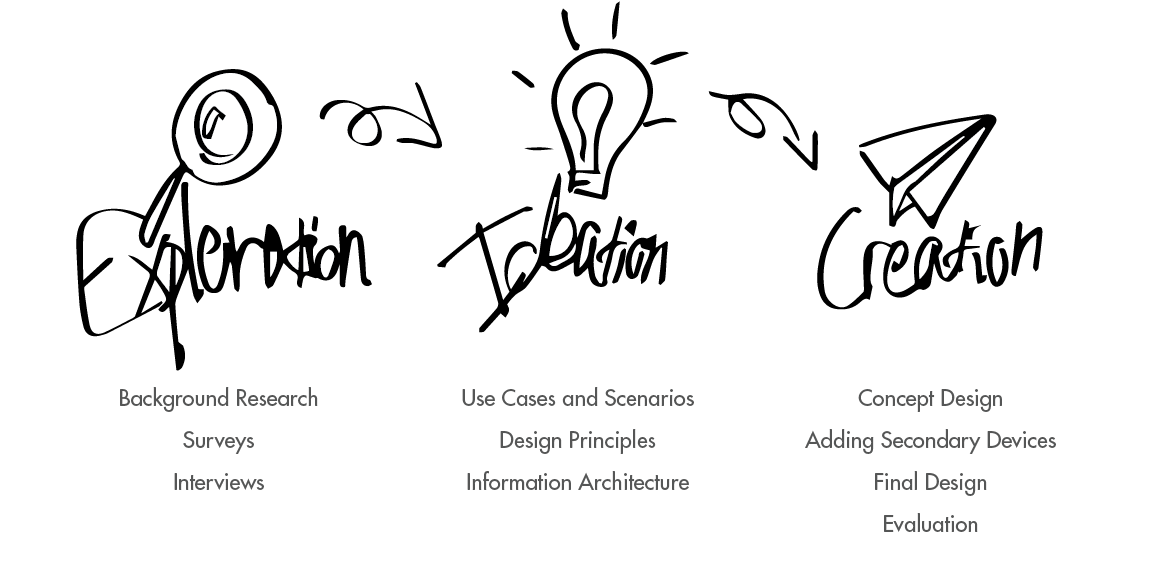
Through iterations, exploration, and ideation, we designed a concept in how AR would ideally serve in social situations. Our process for this project was:
Exploration.
Background Research.
A majority of our research was supported by literature review, competitive analysis, and more. With the relatively new nature of AR, it was hard to approach general population about it, with a majority of people having little to no experience using AR. This phase lasted for a few weeks and helped us immensely in understanding the problem space, design principles in the area, and what has already been done.
A big outcome from the literature review was identifying how AR primarily functions within someone’s daily life. Due to the nature of the technology having more passive but contextual interactions, most uses were to advise and augment human capabilities. The four key use cases for AR in social settings were:
- Augmenting Memory - checking your calendar, adding to a to-do list, etc.
- Finding Interests - seeing hotspots in the area, identifying similar interests
- Detecting Interruptions - getting notifications, remembering what you just did
- Spark and Aid Conversation - information about what’s in view, provide profiles for conversers
We combined this research from others together to identify design implications for social situations, and narrowed it to three higher-level design implications:
- Ease of Access to Tools
- Augmenting Memory
- Showing Relevant Information Based on Context
Another big outcome of the background research was understanding the technical design requirements for AR. Also, current AR has many technical limitations that affect design. Low computing power, high heat output, possible hardware failure, and more are all aspects that limit design in AR.
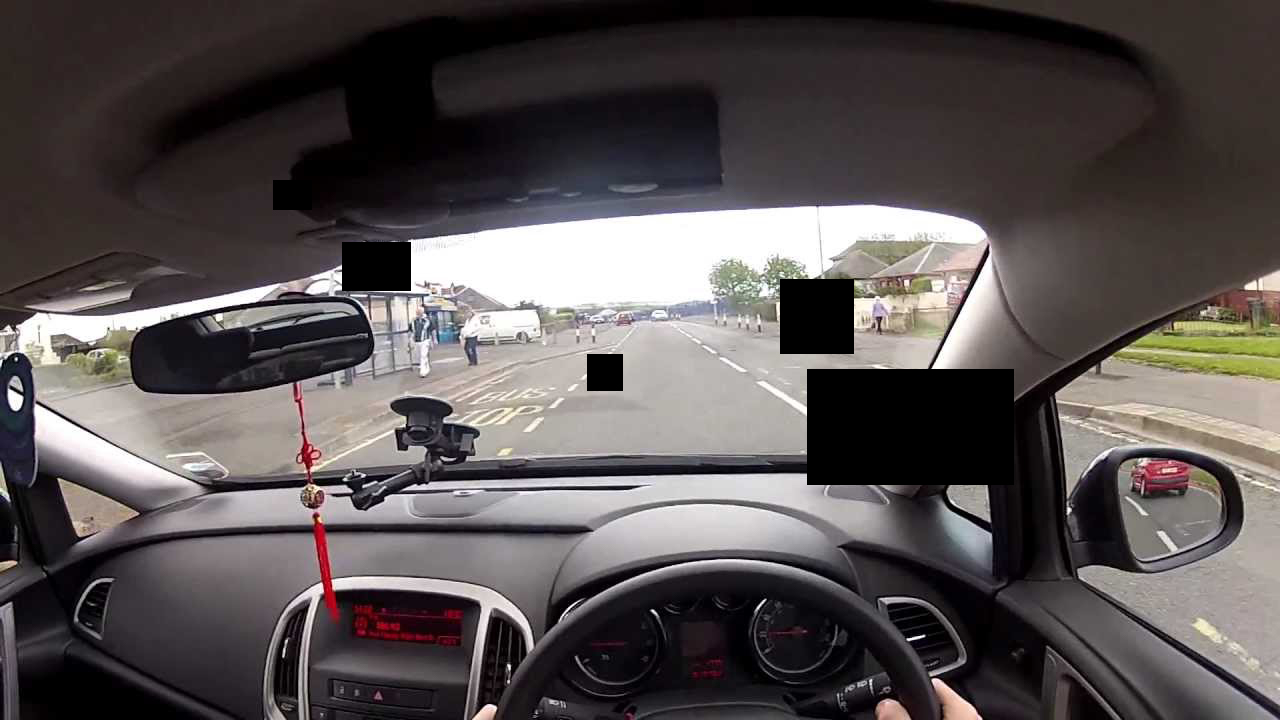
An interesting implication specific to headworn AR was reducing the distraction that AR causes. Research showed AR centered in view or that took a larger portion of the vision cause major distractions and danger for the wearer. Also, if AR could affect the entire vision, it could potentially cause errors in the entire vision. For example, if you were driving and suddenly a block of pixels in your AR device broke, then you could be momentarily blind while driving down a highway. The design implication of this is to partition just a small portion of vision to AR, such as the top right corner.
Surveys.
Armed with a better understanding of the problem space, we began our user research. Our first step in this regard was to identify our problem space context and user base. Due to our access, we focused primarily on college students, with the expectation that we could design for this user group and then expand it to others in the future.
We surveyed participants, asking general questions regarding contexts where people would use technology to assist conversations. The goal of this was to understand if technology had a place in in-person conversations and if so, how. From this, we identified a primary social context which people used technology to augment their social skills: networking events.
We also interviewed more UX designers on the corporate-side to understand limitations in design from either corporate structure or anything else we were unaware of.
Interviews.
With our user and context in mind, we prepared another round of interviews to shed insight on our newly developed research questions of what information users wanted to see in the context, when they wanted to see it, and how they wanted it displayed. We scripted and planned a new interview, under the context of networking events, and then conducted interviews with a new set of 7 participants.
During this phase, we went to visit our mentor multiple times to help analyze our feedback and get recommendations for further literature to look at. We synthesised the results together in an affinity diagramming session to identify how it affected our design. The result of these interview sessions, companioned with our literature review, gave us a number of strong design implications:
- Users wanted provided information to be contextual and flexible
- For efficiency, users wanted only to see “recommended” people’s information
- Our design should encourage natural conversation
- Our design should be mindful of privacy, others should be able to see information about you that you can see about them
- The primary info people wanted to see was LinkedIn profile, job, education, and time management
Ideation.
Use Cases.
To kick off our design thinking, we identified multiple use cases within our context, by breaking down the user flow, and storyboarded the process.
The first use case is onboarding, we wanted to emphasize extra importance on this, especially with the current unfamiliarity of AR. The use case consisted of how a person would first get set up with using AR at a networking event.
The second use case is finding a specific person the user knows. We found that at networking events, people were drawn to either recruiters they were familiar with or to a person they wanted to converse with.
The third use case is exploring people around you, which builds off the more passive networking approach some take, where they primarily converse with those around them.
The final use case is supporting a conversation, where AR could provide ways to encourage and build meaningful conversations.
Principles.
Moving forwards onto the design of the structure, we wanted to first define design principles that would help establish what we’re trying to achieve while also ensuring we stay on track with our users while designing. Below are our four design principles:
- Contextual and Flexible - The system should provide different types of information under different contexts.
- Naturalness - The system should encourage natural conversation instead of limiting users during the conversation
- Helpfulness - The system should primarily focus on helping users find people and assist them with conversations.
- Privacy - The system should consider different levels of privacy, allowing people to opt-in and out.
Information Architecture.
Before creating anything visual, it was necessary to ensure our information and navigation was laid out in an intuitive manner. Because we had a Google Glass on hand to prototype on, we broke down the internal information architecture of the Google Glass UI and mirrored it with our own. We also followed the Google Glass design guidelines when structuring out our information architecture.
We built out the information architecture with the user scenarios in mind, so that information and features would be available to them only when they needed it, matching our design principles of contextual behavior.
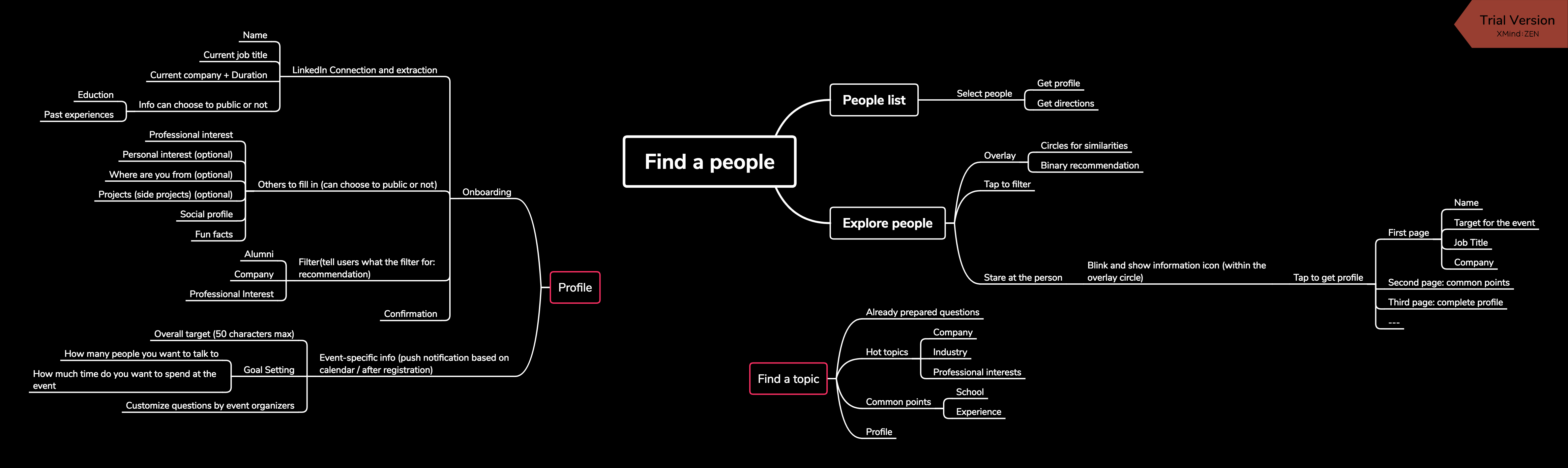
Due to the technology available on hand, we designed the navigation considering that the user would navigate through the information the same way one would with Google Glass, with side-swipes to navigate between options at the same hierarchy, tap to select, and swipe-up to go up in the hierarchy.
Creation.
Concept Design.
Based on that information architecture and Google Glass design principles we created screens for a concept design of the AR. We also made a few changes diverging from the base Google Glass design based on our user testing with Google Glass and our previous findings. Due to the difficult and non-rapid nature of prototyping on AR, we created a concept video/slideshow for user testing instead, which showed the AR concept through a “point-of-view” perspective. This allowed us freedom to make changes quickly and communicate the concept effectively.
We walked participants through the key features in our systems and users evaluated the easiness and usefulness for each flow. At the end, we asked users open-ended questions about what they liked or disliked. The users we tested split evenly between those both with no familiarity with head-worn AR and those with a high-level of expertise.
In general, users were impressed by the features, and saw strong value in the concept. We also received valuable qualitative feedback. One overarching theme we found was that users should have freedom of control over what they see during a conversation. Another was how our interactions could focus more on the context of AR. Many of our interactions mirrored mobile use, such as swipes or gestures.
From the feedback, we realized we could take more advantage of AR projecting in our three-dimensional world, giving us the freedom to offer different forms of information more relevant to our perception.
At this point, we also had to refine how we decided who was recommended for users to talk with. Through interviews and surveys, we found that although some people were more interested in talking to those completely different from them, a majority started conversations with strangers by identifying common ground. Thus, we had whoever had greater similarity with the user was more recommended.
Adding Secondary Devices.
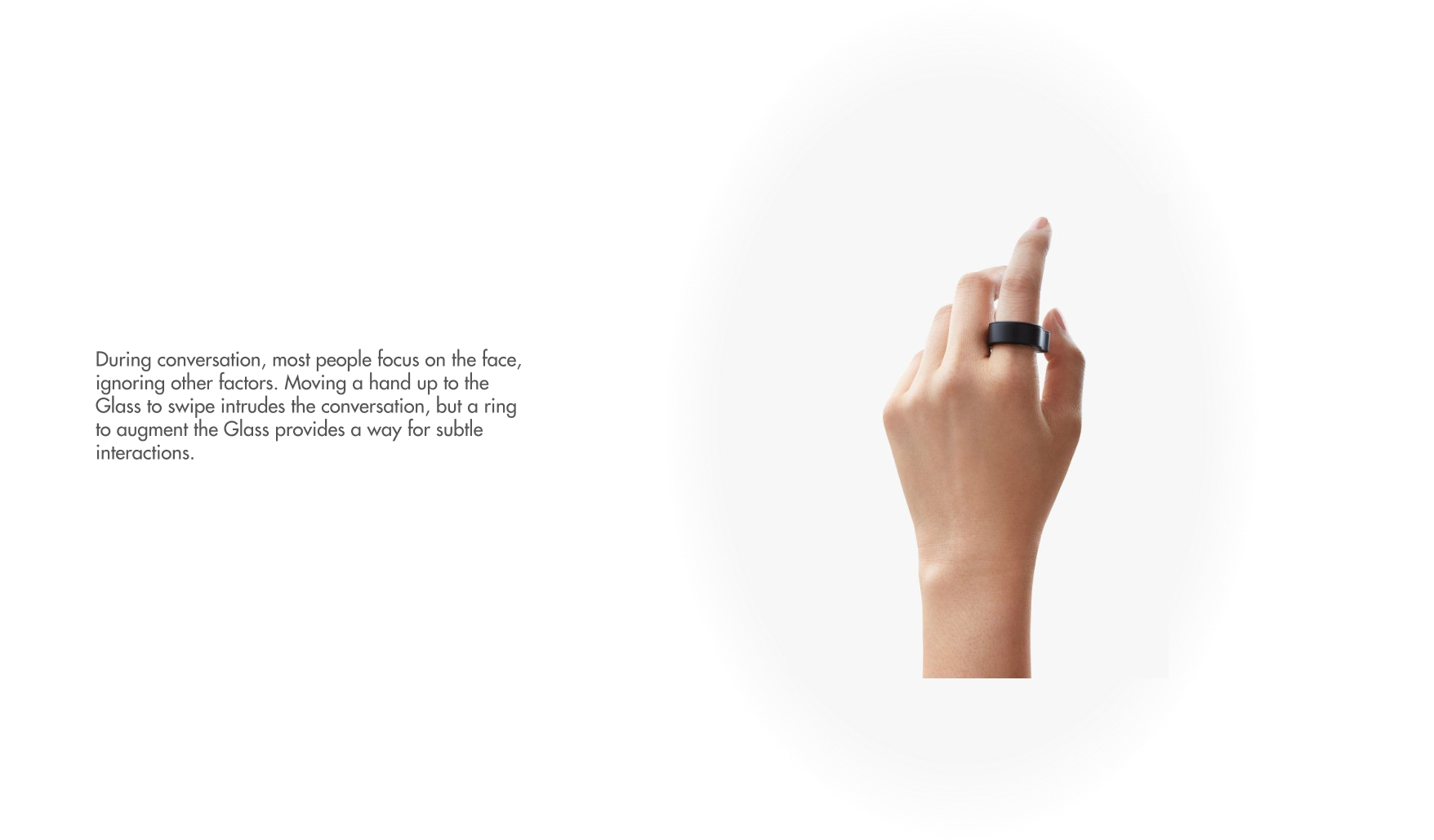
Evaluating our feedback from both users and mentors, we began to understand the need for secondary devices, one so that users could discreetly interact with AR while in a conversation and one so that users could complete more complex tasks on a larger screen. We explored different variations of discrete interaction tools and moved forwards with a ring joystick due to its natural look and flexibility of input. We tested it, and found people didn't notice if others were using it during a conversation. Most of the attention was on the other person's face.
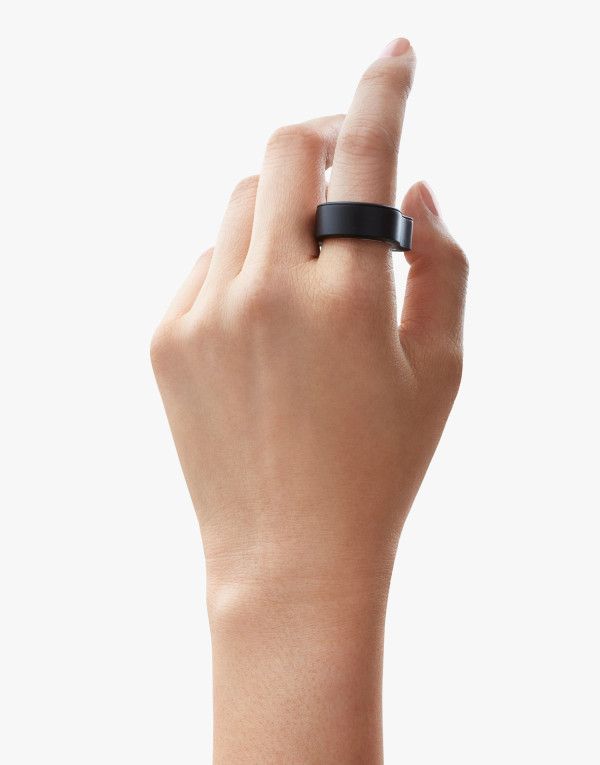
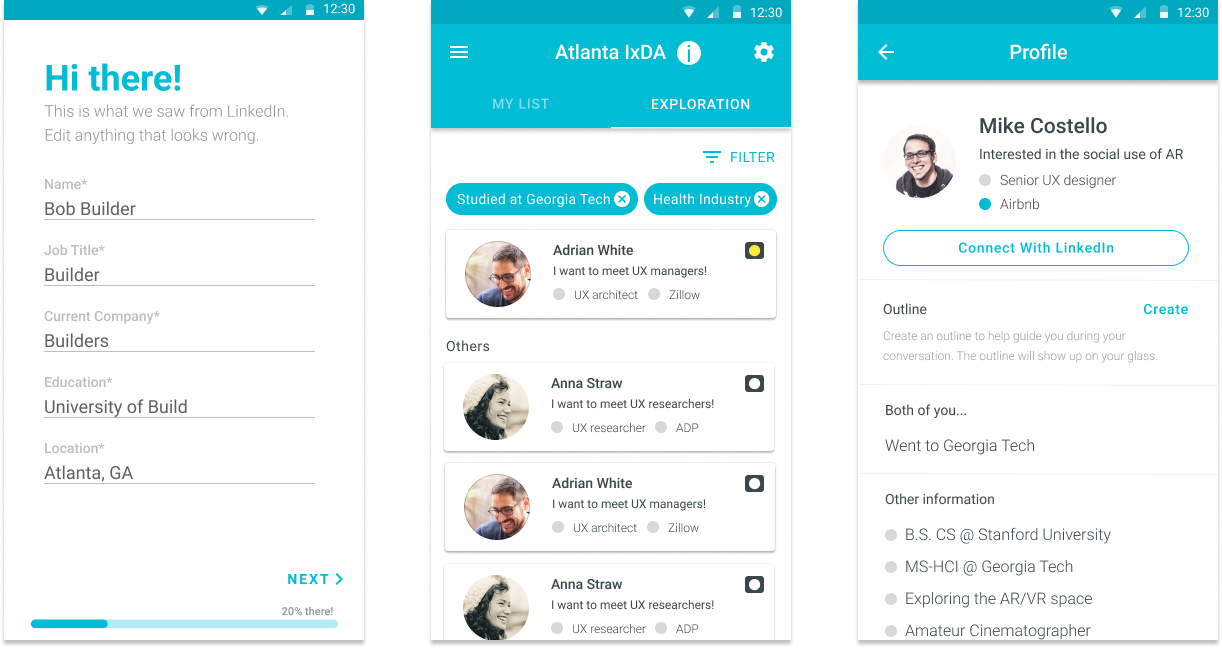
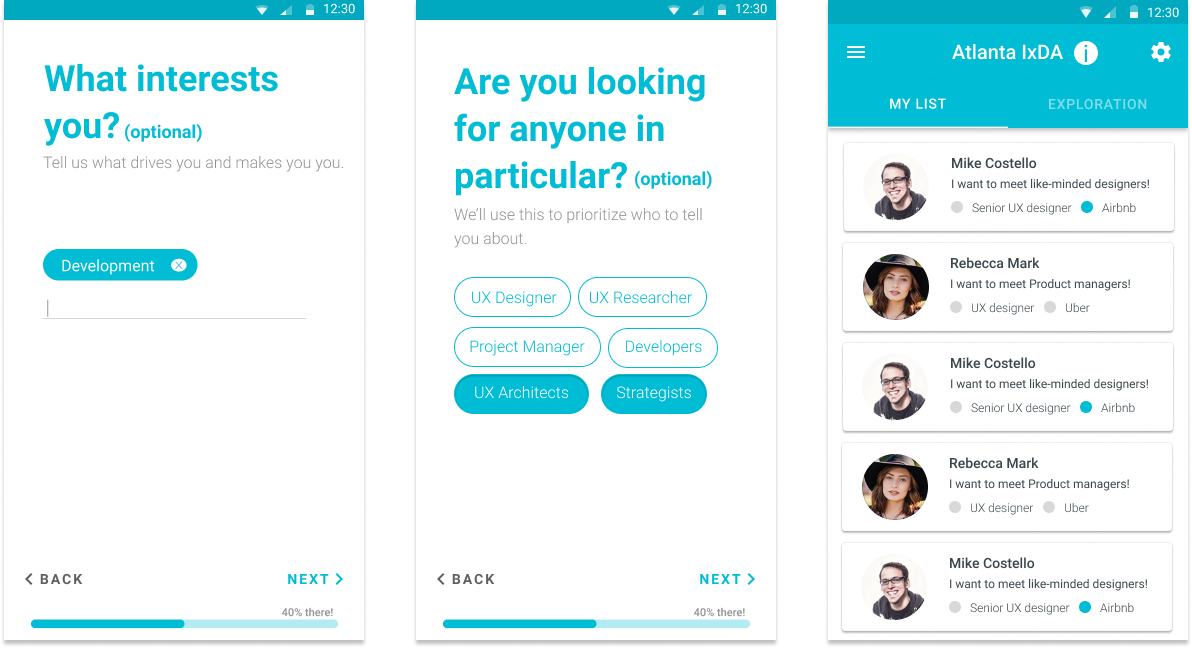
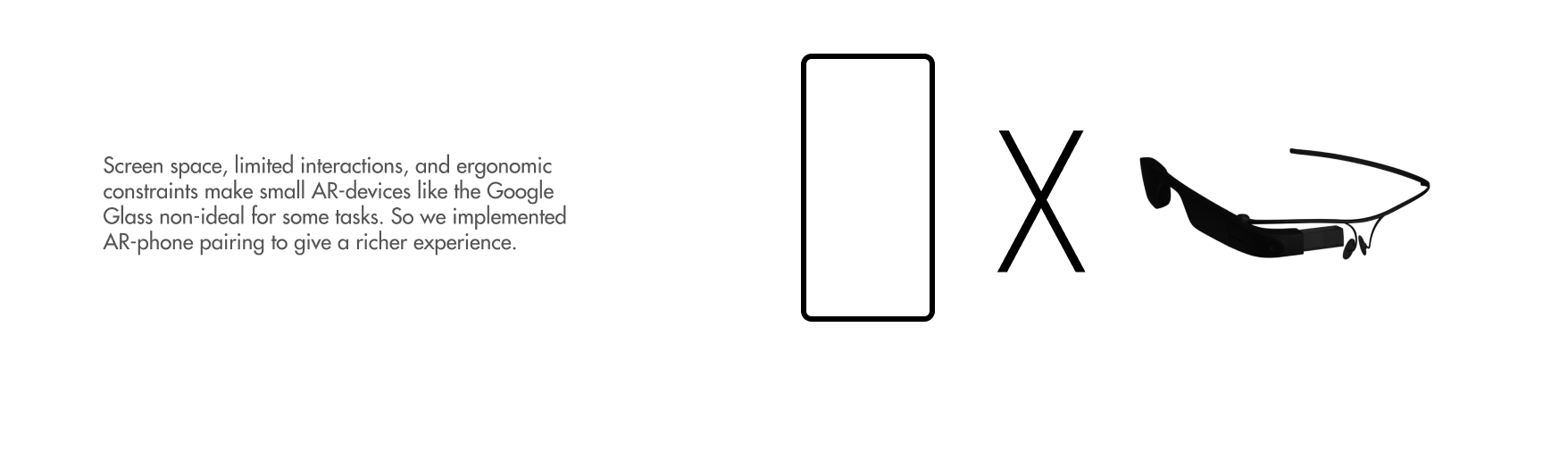
For completing more complicated task, such as filling out a form or declaring people a user wanted to meet, we used a smartphone, with an app that would connect with the AR device. This end ecosystem of devices consisted of three parts - Google glass, ring joystick, and mobile app.
Final Design.
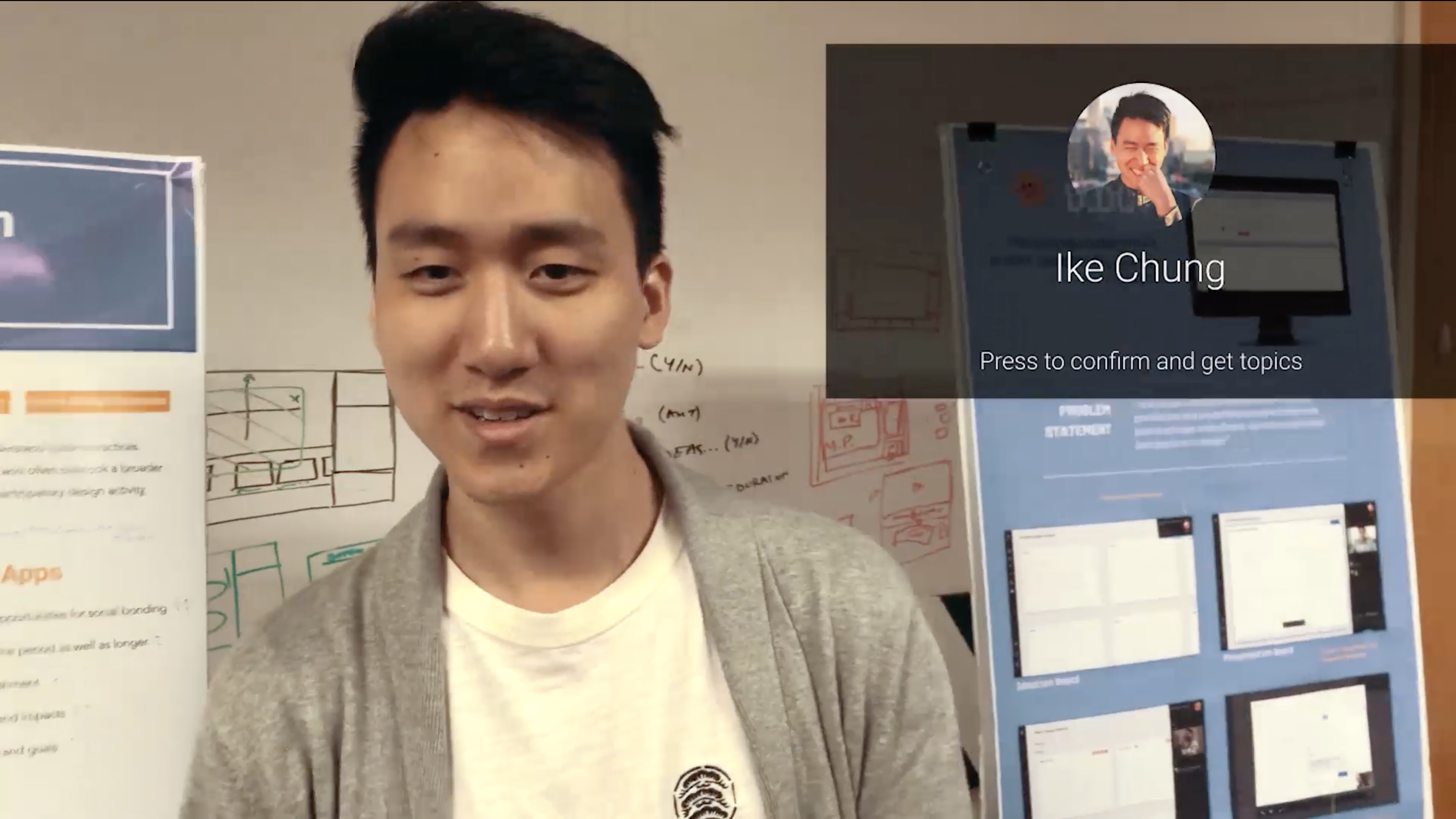
Based on our feedback from the concept testing, we made changes in the architecture and design. Furthermore, we changed the way a person would select a person to view information. Instead of seeing someone and then finding them and then finally selecting, we propose using facial recognition matching with the database of attendees in order to provide a more contextual and ubiquitous interaction. This way a user would just need to center a person in their view to see their information.
Calling back to our design principles, we ensured that our final design was contextual/flexible, helpful, private, and promoted naturalness. Our end design served as mostly a helpful assistance, that would give information based on the context. We wanted it to more assist in social situations, rather than "dictate it". We also get privacy in mind through equal levels of discovery/privacy. You can only see topics of information on others that you choose to make public as well. Finally, we promote naturalness by keeping the technology hidden during a social interaction, until the user summons it up.
At the end of the entire project, we created final mocks going through the entire flow for our design, from initial onboarding to conversation at a networking event. This video below walks through the use cases we designed for:
To breakdown the flow, the user would first sign up for the networking event on their phone, noting down their interests and who they wanted to talk to, which would feed into who we would recommend them to talk with.
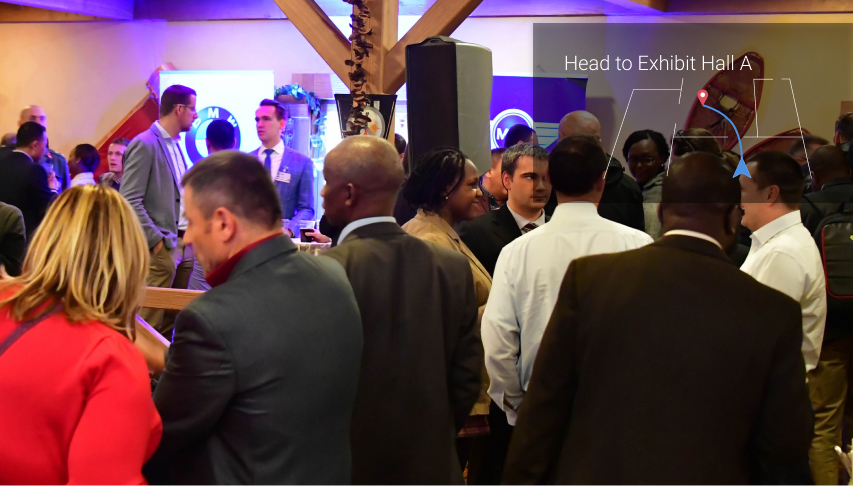
For finding an individual, the user would select them on the Glass using joystick control, and then be directed to them with the Glass view acting as a minimap. Matching our privacy principle, this would only be possible if the target opted-in to using this feature as well.
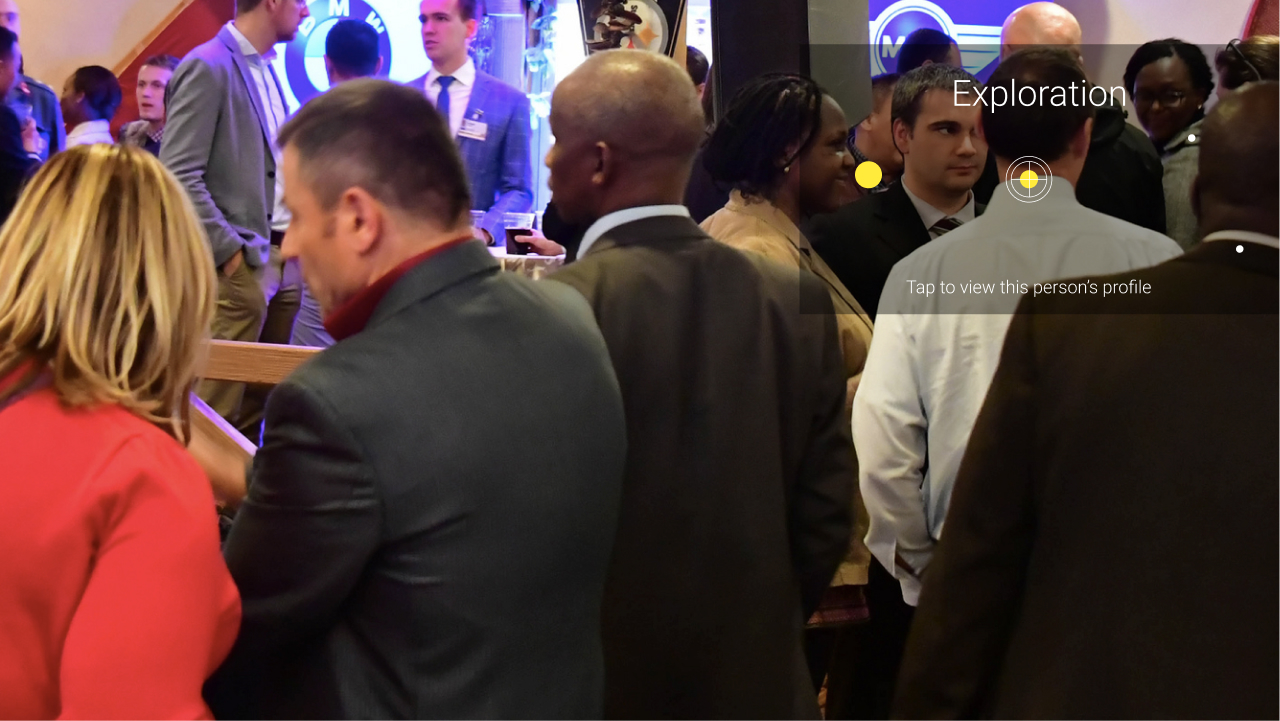
For exploring people to talk to, the user would access that mode and see dots on people, with the size of the dot representing how recommended they are to talk to. Hovering the target over the dot would bring up information regarding the subject, so the user could decide whether or not to talk to them.
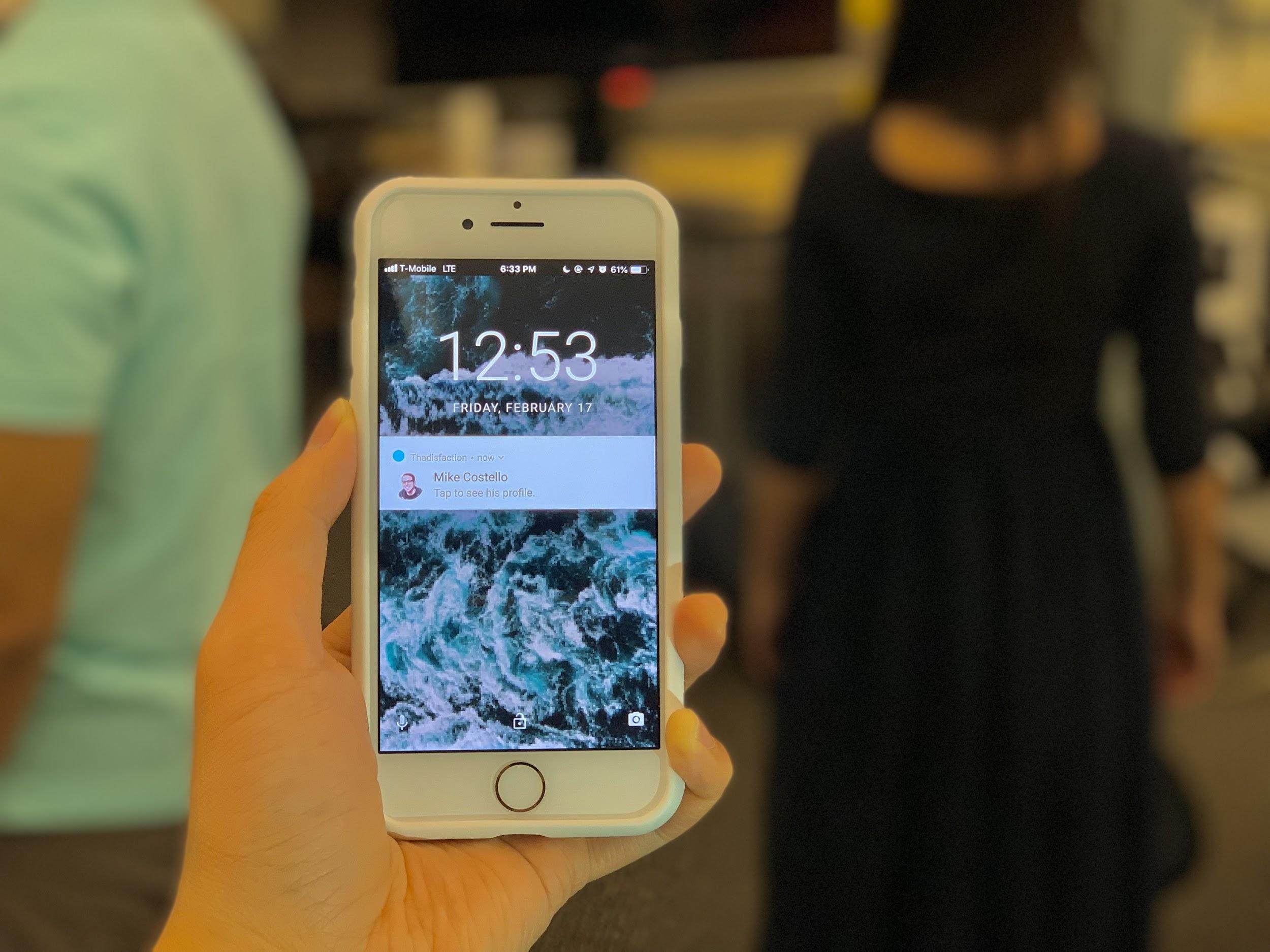
Before approaching someone to begin a conversation, the user can select certain topics they want available to then during a conversation. If they don't, it will fall back to a default.
For within conversation, the Glass would by default show nothing or, if something was on the screen, fade out the display after about fifteen seconds of non-use in order to not distract the user from the conversation. The user could then summon the information and swipe through them whenever and discreetly through the use of the ring joystick.
Evaluation.
To finalize our exploration of using AR in social settings, we evaluated the features of our final design with primary users. We provided participants with a Google Glass to wear, and lined up the Glass display with a TV screen to simulate elements appearing on the Glass for the user. We used Invision Studio connected to a joystick to implement an interactive prototype on Google Glass, mirroring the ideal interaction experience we designed.
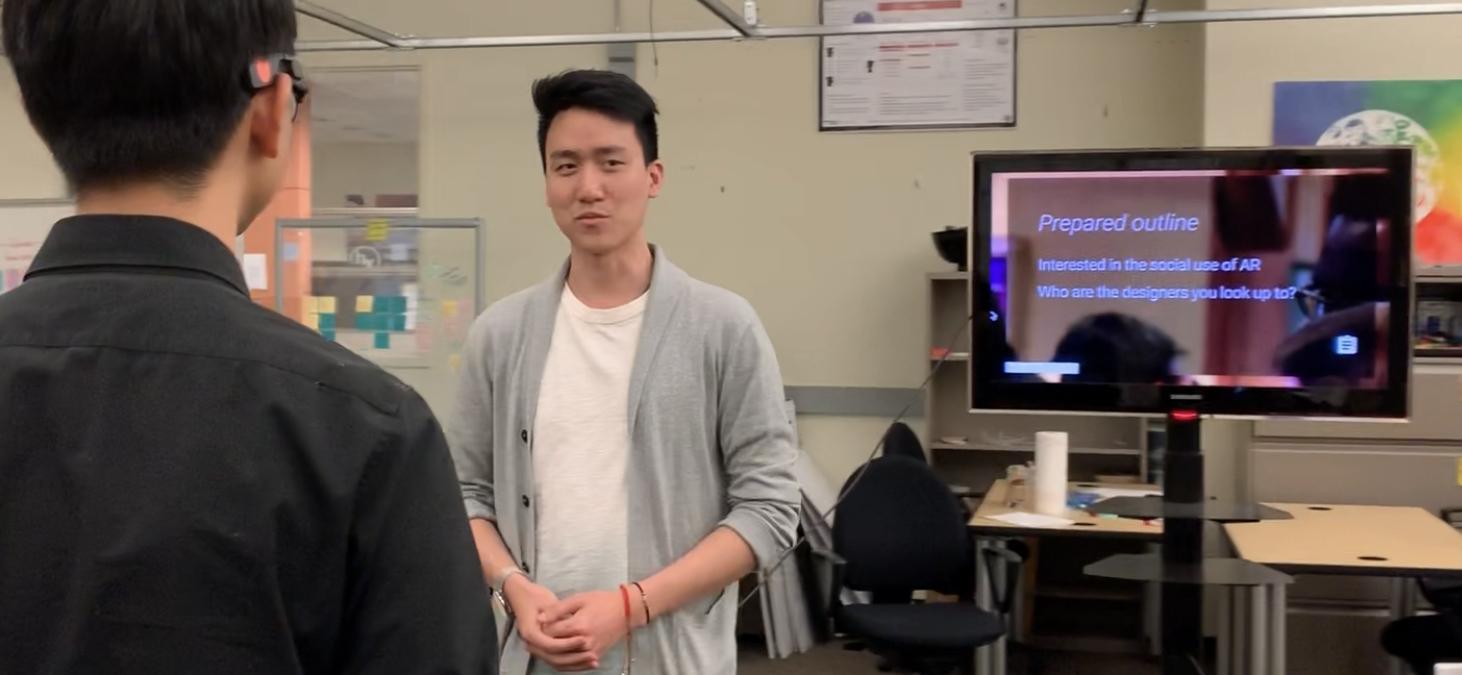
For the procedure of the usability testing, we began with a short training session followed to let users familiarize themselves with current gestures and flows in the Google Glass. The next part was to let users conduct six major tasks in our system while thinking out loud. I acted as another attendee of a networking event, and engaged the participant in conversation.
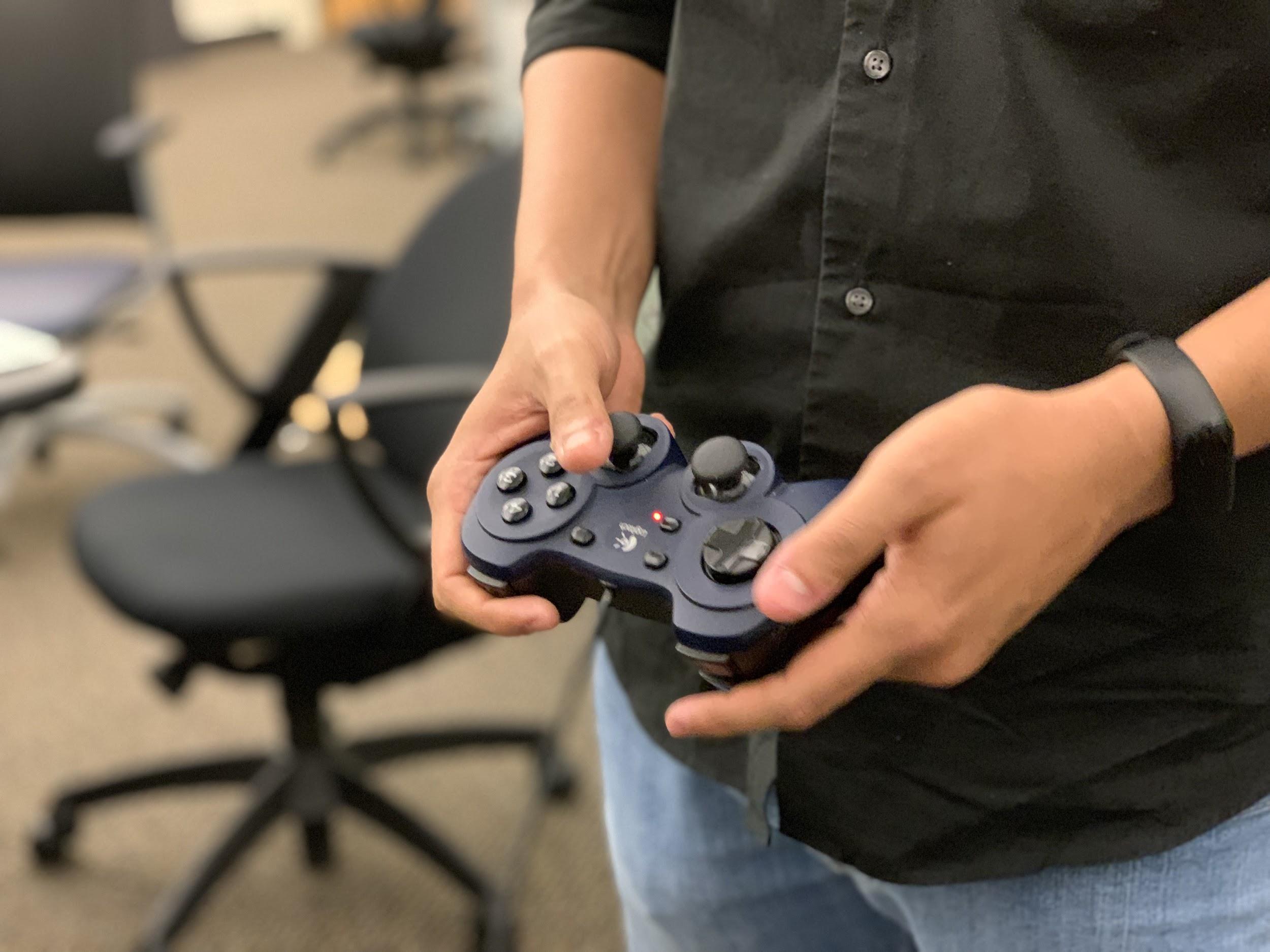
We wrote down as much as possible including users’ behaviors, confusion and feedback as our qualitative result and also had users to fill out questions regarding ease of use for each tasks. After users completed all tasks, they completed a questionnaire based on our design principles as well as two open-ended questions aiming to get general feedback for the whole system.
Participant 4
"I'll use this a lot to learn more about a person I want to talk...I won't create an outline, but it would be nice to know key talking points."
Participant 1
"The people list and exploration mode are really useful, it would be helpful instead of randomly finding someone."
Participant 3
"I don't mind the privacy issues as long as it's two-way...as long as I know what I share and what others know, it will be fine."
At the end, we found that users thought the onboarding, finding people to talk to, exploring the room, and seeing recommended topics were all very easy to use and found it helpful in a conversation (about 6 on a 1-7 point scale). However, users thought it also greatly negatively impacted the naturalness of their conversation.
From this we learned that AR definitely had promise in the social setting, but still caused naturalness of conversation problems. This could be caused by lack of familiar with AR, and with some adjustment, AR could be a powerful daily tool. However, with the flood of incoming information already in a conversation, further information load seemed to stress users. In the future, we would like to explore how AR can be more ubiquitous with the world.
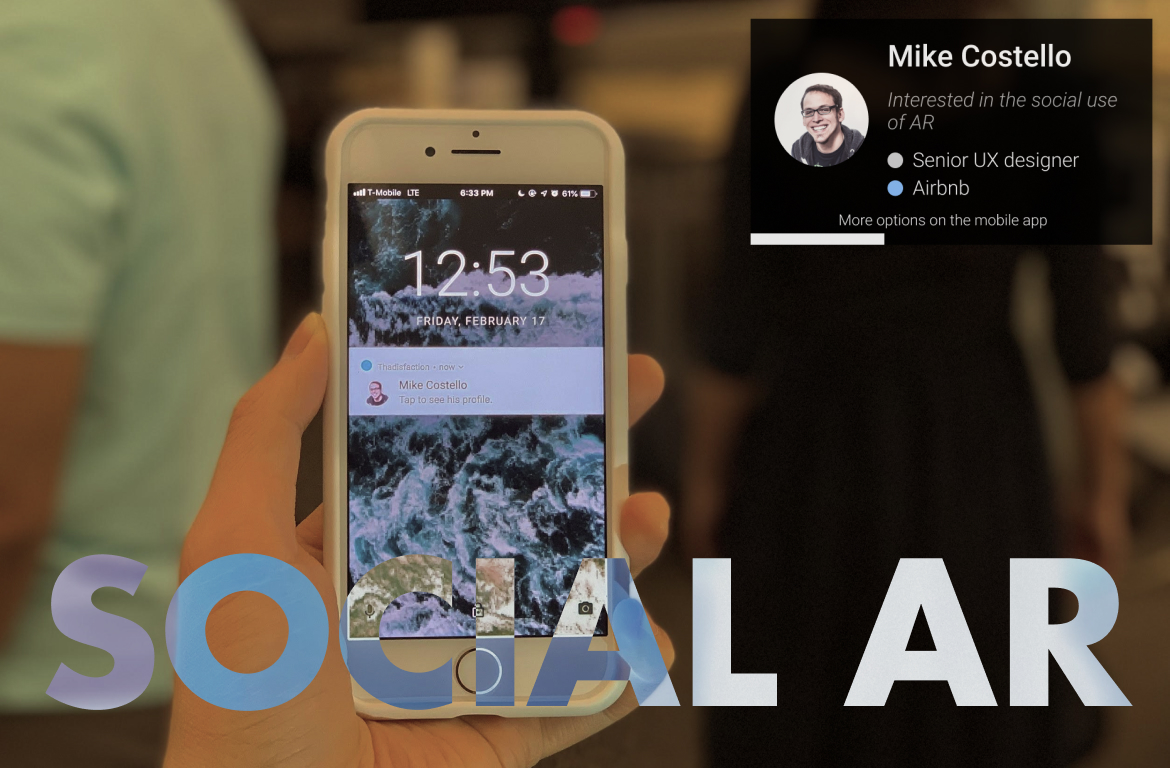
Ever have an awkward conversation?
Entering networking events are constantly top stressors for students and young professionals. Remembering topics, notes, and more while trying to maintain a natural conversation is constant pain point.
Enter AR. Through augmented reality, users can easily see who they want to talk to and get discreet reminders in conversations on command.
The Glass.
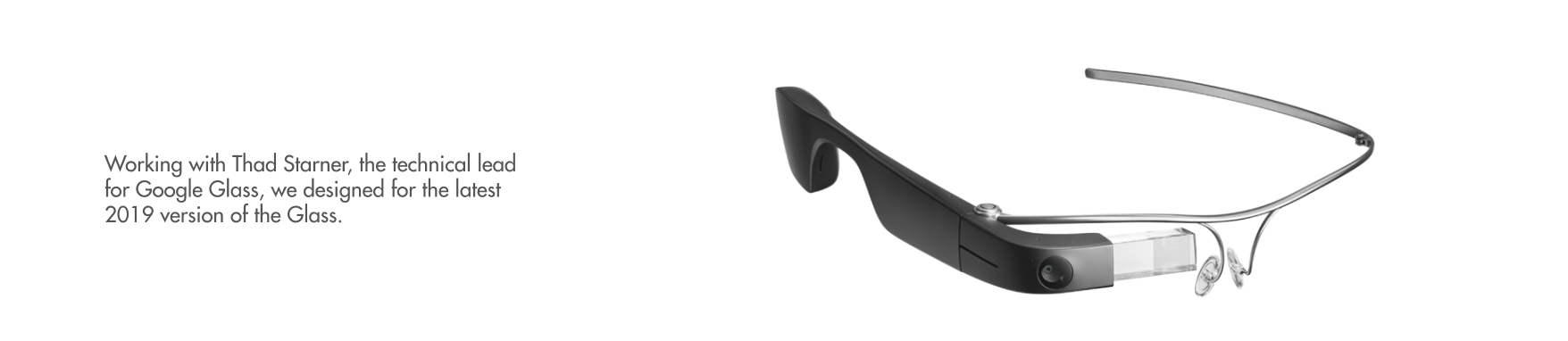

The Foundation of Experience.
Human-First.
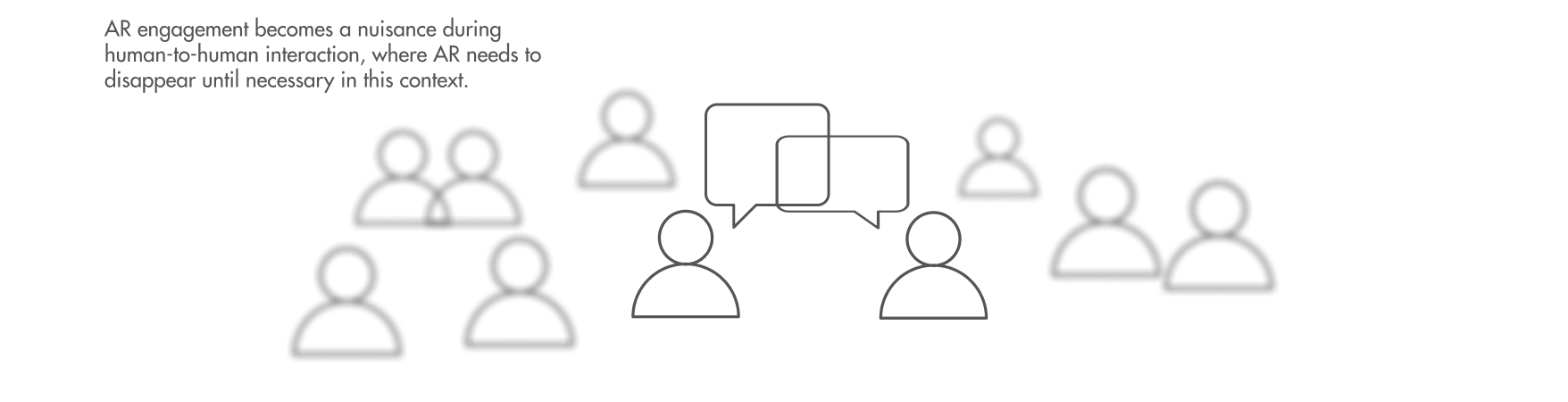
Subtle Interactions.
Phone for Detailed Interactions.
Experience.
From a list of people at the event, find who you want to talk to and what they're about.
Get directions in a busy venue directly to a person, making it easy to find someone.
Explore people around you, viewing profiles and seeing who's recommended for you.
Invisible at first to maintain natural conversation, but summonable when you need a topic now.
Final Note.
At the end, users really like the features and found it helpful in a conversation (on average rating 6 on a 1-7 point scale). However, some users thought it also greatly negatively impacted the naturalness of their conversation.
From this I learned that AR definitely had promise in the social setting, but still caused naturalness of conversation problems. This could be caused by lack of familiar with AR, and with some adjustment, AR could be a powerful daily tool. However, with the flood of incoming information already in a conversation, further information load seemed to stress users.
In the future, with technology heading on a path of ubiquity, I would like to explore how AR would affect and impact, negatively or positively, people’s lives.